
Privacy
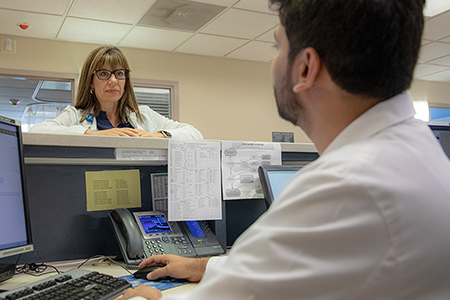
The Privacy Program at UC Davis Health is responsible for monitoring compliance with federal and state privacy regulations, and reporting privacy violations to applicable federal and state agencies. Program staff serves as a general resource for all privacy-related questions, conduct privacy trainings, and investigates all reported privacy incidents. Additionally, the Privacy Program tracks, analyzes, and reports all privacy compliance activities, and develops training and risk mitigation programs for UC Davis Heath.
Access to certain links may require logging into the UC Davis Health Intranet or Electronic Policy Management System. For more information, please contact us.
Privacy Frequently Asked Questions
Protected Health Information (PHI) is any health data whether communicated verbally, in writing, or electronically, that is created or collected by a covered entity and can be linked to a specific individual. Information is considered PHI if it relates to a person’s past, present, or future physical or mental health status, the provision of their healthcare, or the payment for that care.
To be classified as PHI, the data must contain at least one of the 18 specific HIPAA identifiers that connect the information to a particular person. These identifiers include:
- Names;
- All geographic subdivisions smaller than a State, including street address, city, county, precinct, zip code, and their equivalent geocodes, except for the initial three digits of a zip code if, according to the current publicly available data from the Bureau of the Census;
- All elements of dates (except year) for dates directly related to an individual, including birth date, admission date, discharge date, date of death; and all ages over 89 and all elements of dates (including year) indicative of such age, except that such ages and elements may be aggregated into a single category of age 90 or older;
- Telephone numbers;
- Fax numbers;
- Electronic mail addresses;
- Social security numbers;
- Medical record numbers;
- Health plan beneficiary numbers;
- Account numbers;
- Certificate/license numbers;
- Vehicle identifiers and serial numbers, including license plate numbers;
- Device identifiers and serial numbers;
- Web Universal Resource Locators (URLs);
- Internet Protocol (IP) address numbers;
- Biometric identifiers, including finger and voice prints;
- Full face photographic images and any comparable images; and
- Any other unique identifying number, characteristic, or code, except as permitted by paragraph (3) of this section.
UC Davis Health workforce members are authorized to access PHI so long as there is a work need for the access. A work need typically falls within the Treatment, Payment, or Health Care Operations provisions found in HIPAA. For any other purpose, the patient must provide authorization for the access or there must be an applicable exception to patient authorization.
The minimum necessary standard, found in the HIPAA Privacy Rule, requires the use or disclosure of limited PHI by a covered entity for work needs. The minimum necessary standard also applies when requesting PHI from another covered entity. You are expected to apply the minimum necessary standard when you access, use, or disclose PHI. For example, although physicians, nurses, and other care providers may need to view the entire medical record for a work need, a billing clerk would likely only need to see a specific report to determine the appropriate billing codes for a patient encounter. Additionally, an admissions staff member may not need to see the medical record at all; only an order form with the admitting diagnosis and identification of the admitting physician. You are permitted to access and use only the minimum patient information necessary to satisfy your job tasks.
The UC Davis Medical Center Patient Directory contains a list of current inpatients, observation patients, and Emergency Department patients. The medical center may disclose limited information to an individual who identifies a patient by name, including the patient’s current location and general condition (e.g., treated and released, good, fair, critical, serious, deceased). A patient’s religious affiliation is also considered Directory Information, but is only available to clergy. Patients have the right to prevent the disclosure of their Directory Information. To do so, patients must inform their treating provider or the Health Information Management Department (HIM) that they wish to opt out of the Patient Directory (i.e. black-out status). No information about inmates may be disclosed, except to the agency responsible for the patient (i.e., the prison warden). See UC Davis Health Policy & Procedure (P&P) 2418, Disclosing Protected Health Information (PHI) to the Clergy, Media and Public, for additional information.
For disclosures related directly to a patient’s current condition, you may disclose PHI to anyone involved in the patient’s medical care or payment related to the patient’s care (e.g., a family member, friend or personal representative) if:
- the patient agrees; or
- the patient has had an opportunity to object to the disclosure, and did not; or
- based on the exercise of professional judgment, it appears that the patient would not object to the disclosure; or
- in cases where the patient is not present or incapacitated, the disclosure is in the best interest of the patient, based on the exercise of professional judgment.
- The information disclosed should be limited to the minimum necessary for the recipient’s involvement in the patient’s care or payment related to the patient’s care.
When leaving a voicemail for a patient, never provide medical information. Instead, leave the minimum necessary information so that the patient knows who called and the reason for the call. For example, leave your name, call back number, and that you are calling from UC Davis Medical Center. If you are calling about an upcoming appointment, you can also state as much without specifically stating the location of the appointment. A suggested best practice is to obtain the patient’s preference for follow-up or appointment communication during the initial communication.
You may only access the medical record of a family member or friend if you have a work need. Accessing a family member’s record for personal reasons, such as checking the individual’s upcoming appointments or obtaining lab results, is not permitted. The patient should contact the appropriate clinic or provider or submit a request to HIM for a release of medical records.
No. UC Davis Health policy prohibits employees from accessing their own medical records using Epic or other electronic systems. It is encouraged that all UC Davis Health patients sign up for MyChart to easily access information about upcoming appointments or view test results. If you would like a copy of your medical record, you should submit a request to HIM.
No. All UCDMC personnel (employees, faculty, staff, volunteers and students) must use their official UCD Health issued email account for all work-related activities. Individuals may not forward their UC Davis Health issued email account to any non-UC Davis Health account, including, but not limited to, Gmail, Hotmail and Yahoo Mail. See P&P 1314 Email Use for UC Davis Health Personnel, and P&P 2442 Email Communication that Contains Protected Health Information (PHI) or Personal Information (PI), for more information.
When possible, MyChart should be used to communicate with patients. If MyChart is not used, a patient must consent to the use of email prior to initiation of email correspondence regarding their care. This consent should be in writing (via email is acceptable) and should advise patients of potential privacy risks associated with electronic communication containing PHI. See P&P 2442, Email Communication that Contains Protected Health Information (PHI) or Personal Information (PI), for the required language for this consent and further requirements for emailing patients about their care. All emails sent to patients regarding their care must be sent from your UC Davis Health issued email account using encryption. In Outlook, emails may be encrypted by typing #secure# in the email subject line or anywhere in the email text.
In the last several years, there have been an increasing number of "phishing" scams targeting UC Davis Health employee email accounts. Email phishing is when a third party tries to gain access to another individual’s email account by representing themselves as an official, legitimate source and requesting information of the email account holder, such as a login or password. It can be difficult to distinguish between a valid email and a phishing one. If you think you have received a phishing email, do not open the email or click any links in the email. Immediately contact the IT Operations Center at 916-734-4357. You can also forward the email to abuse@ucdavis.edu for review. Never provide your login name or credentials in response to a request received by email. Additional email security tips (PDF) are available from UC Davis Health's Information Technology (IT) Department.
Contact the IT Operations Center at 916-734-4357 immediately if you believe your email account has been compromised.
You should immediately contact the police department in your jurisdiction to file a report. For example, if you think that the theft occurred at UC Davis Health, contact the UC Davis Police. You should also report the theft to your supervisor, the IT Department, and the Compliance Department.